
Mario Kart PC Forum - Advanced search
Results 1241-1260 out of 1400+

SOMEONE STOLE MY TRACK!
 1736 -
 21381 pts ★ Legend
 6823 pts ★ Racer
On 2024-02-14 at 23:02:35
oh mah gawd no way he stole your google image track!!1!!!!11!! 😱😱😱😱😱
in other words, it's just a google image with a poorly drawn road on it. it's not that big of a deal when it comes to tracks like that.
in other words, it's just a google image with a poorly drawn road on it. it's not that big of a deal when it comes to tracks like that.
Superpowers
On 2024-02-06 at 21:38:24
terrain manipulation would be so funny for pranks
How to do complete mode for beginner's
On 2024-02-10 at 19:27:47
Ok most people wonder how they do complete mode so here are the things you need for make your track good.
Track Image: It has to be PNG, JPEG, PDF, and GIF and must not 1MB Or you can do copy image link all you need to do is right click on the image then click copy image link then go back then where you see Paste image URL right click on the thumbnail ten click paste then you will see the link to the image then push ok it will take none of your storage but when you delete it the track will be removed from the list of creations.
CPU Route: CPUs Need to know where to go or you can't share your track click on the area you want to make a complete lap it is pretty simple just follow around the track then When you get back when you started oh ya one more thing each time you click another dot will appear then when you close it all the lines will turn black.
CPU Shortcut route: after you finished the CPU route any dot next to a shortcut you right click on it then an option "Shortcut route click on it then make the path then connect it to another nearby dot.
Checkpoints: It is very easy to do the first one is a start of a new lap there has to be 2 or more checkpoints if you miss one the lap does not count to place a checkpoint just click somewhere and move your mousepad to the left of right.
Items: Those little squares those are item boxes just like in quick mode click to place but when you right click an option of "Double item" will appear click on it then There should be a 2 on it That means when you lode up you will see an item box on top of one.
Opinions: Choose a background and a music To make a music from YouTube Go to the music on YouTube right click and click copy video URL Then go Back to your track right click again then click paste Then wait then when you hear the music that you selected that means that the music of your track.
Off road there is Grass, Water, Choco, And Ice choose one of them then make the off road.
Walls: just use those square or the polygon to make the walls you know items like green shells can bounce back.
Teleporters: Make a square are polygon shape tools to make it but the arrows that where you come after teleporting.
Outside color: Just choose a color.
Cannons: use the tools Square or polygon then it will be 2 of the same when the arrow appears that means how long is the cannon is then you land.
Decor: Choose any decor you like.
Sections: go to checkpoints the click sections you need at last 4 checkpoints the first that is where you start the last one that is the end.
Number of laps: Go to checkpoints the click edit there should be a box with a number 3 and a arrow click on it then you have numbers 1-9 same with sections.
Jumps: Same thing polygon or square to make the jump the way you want it right click then click jump height the arrow is how big the jump is.
Boost: make a polygon then when you get there you get a boost.
Track Image: It has to be PNG, JPEG, PDF, and GIF and must not 1MB Or you can do copy image link all you need to do is right click on the image then click copy image link then go back then where you see Paste image URL right click on the thumbnail ten click paste then you will see the link to the image then push ok it will take none of your storage but when you delete it the track will be removed from the list of creations.
CPU Route: CPUs Need to know where to go or you can't share your track click on the area you want to make a complete lap it is pretty simple just follow around the track then When you get back when you started oh ya one more thing each time you click another dot will appear then when you close it all the lines will turn black.
CPU Shortcut route: after you finished the CPU route any dot next to a shortcut you right click on it then an option "Shortcut route click on it then make the path then connect it to another nearby dot.
Checkpoints: It is very easy to do the first one is a start of a new lap there has to be 2 or more checkpoints if you miss one the lap does not count to place a checkpoint just click somewhere and move your mousepad to the left of right.
Items: Those little squares those are item boxes just like in quick mode click to place but when you right click an option of "Double item" will appear click on it then There should be a 2 on it That means when you lode up you will see an item box on top of one.
Opinions: Choose a background and a music To make a music from YouTube Go to the music on YouTube right click and click copy video URL Then go Back to your track right click again then click paste Then wait then when you hear the music that you selected that means that the music of your track.
Off road there is Grass, Water, Choco, And Ice choose one of them then make the off road.
Walls: just use those square or the polygon to make the walls you know items like green shells can bounce back.
Teleporters: Make a square are polygon shape tools to make it but the arrows that where you come after teleporting.
Outside color: Just choose a color.
Cannons: use the tools Square or polygon then it will be 2 of the same when the arrow appears that means how long is the cannon is then you land.
Decor: Choose any decor you like.
Sections: go to checkpoints the click sections you need at last 4 checkpoints the first that is where you start the last one that is the end.
Number of laps: Go to checkpoints the click edit there should be a box with a number 3 and a arrow click on it then you have numbers 1-9 same with sections.
Jumps: Same thing polygon or square to make the jump the way you want it right click then click jump height the arrow is how big the jump is.
Boost: make a polygon then when you get there you get a boost.
Theres already a topic like this 💀
Lock this Topic.
I was helping @Sebastian_Valdez_2 with this.
still, a topic like this already exists, so this one has no use
So? why do you mind?
it's not that i mind or don't mind, i'm just saying, this topic is useless as there is already another one that is exactly the same as this one that Sebastian can find and look at himself
 2
2On 2024-02-10 at 19:25:34
Ok most people wonder how they do complete mode so here are the things you need for make your track good.
Track Image: It has to be PNG, JPEG, PDF, and GIF and must not 1MB Or you can do copy image link all you need to do is right click on the image then click copy image link then go back then where you see Paste image URL right click on the thumbnail ten click paste then you will see the link to the image then push ok it will take none of your storage but when you delete it the track will be removed from the list of creations.
CPU Route: CPUs Need to know where to go or you can't share your track click on the area you want to make a complete lap it is pretty simple just follow around the track then When you get back when you started oh ya one more thing each time you click another dot will appear then when you close it all the lines will turn black.
CPU Shortcut route: after you finished the CPU route any dot next to a shortcut you right click on it then an option "Shortcut route click on it then make the path then connect it to another nearby dot.
Checkpoints: It is very easy to do the first one is a start of a new lap there has to be 2 or more checkpoints if you miss one the lap does not count to place a checkpoint just click somewhere and move your mousepad to the left of right.
Items: Those little squares those are item boxes just like in quick mode click to place but when you right click an option of "Double item" will appear click on it then There should be a 2 on it That means when you lode up you will see an item box on top of one.
Opinions: Choose a background and a music To make a music from YouTube Go to the music on YouTube right click and click copy video URL Then go Back to your track right click again then click paste Then wait then when you hear the music that you selected that means that the music of your track.
Off road there is Grass, Water, Choco, And Ice choose one of them then make the off road.
Walls: just use those square or the polygon to make the walls you know items like green shells can bounce back.
Teleporters: Make a square are polygon shape tools to make it but the arrows that where you come after teleporting.
Outside color: Just choose a color.
Cannons: use the tools Square or polygon then it will be 2 of the same when the arrow appears that means how long is the cannon is then you land.
Decor: Choose any decor you like.
Sections: go to checkpoints the click sections you need at last 4 checkpoints the first that is where you start the last one that is the end.
Number of laps: Go to checkpoints the click edit there should be a box with a number 3 and a arrow click on it then you have numbers 1-9 same with sections.
Jumps: Same thing polygon or square to make the jump the way you want it right click then click jump height the arrow is how big the jump is.
Boost: make a polygon then when you get there you get a boost.
Track Image: It has to be PNG, JPEG, PDF, and GIF and must not 1MB Or you can do copy image link all you need to do is right click on the image then click copy image link then go back then where you see Paste image URL right click on the thumbnail ten click paste then you will see the link to the image then push ok it will take none of your storage but when you delete it the track will be removed from the list of creations.
CPU Route: CPUs Need to know where to go or you can't share your track click on the area you want to make a complete lap it is pretty simple just follow around the track then When you get back when you started oh ya one more thing each time you click another dot will appear then when you close it all the lines will turn black.
CPU Shortcut route: after you finished the CPU route any dot next to a shortcut you right click on it then an option "Shortcut route click on it then make the path then connect it to another nearby dot.
Checkpoints: It is very easy to do the first one is a start of a new lap there has to be 2 or more checkpoints if you miss one the lap does not count to place a checkpoint just click somewhere and move your mousepad to the left of right.
Items: Those little squares those are item boxes just like in quick mode click to place but when you right click an option of "Double item" will appear click on it then There should be a 2 on it That means when you lode up you will see an item box on top of one.
Opinions: Choose a background and a music To make a music from YouTube Go to the music on YouTube right click and click copy video URL Then go Back to your track right click again then click paste Then wait then when you hear the music that you selected that means that the music of your track.
Off road there is Grass, Water, Choco, And Ice choose one of them then make the off road.
Walls: just use those square or the polygon to make the walls you know items like green shells can bounce back.
Teleporters: Make a square are polygon shape tools to make it but the arrows that where you come after teleporting.
Outside color: Just choose a color.
Cannons: use the tools Square or polygon then it will be 2 of the same when the arrow appears that means how long is the cannon is then you land.
Decor: Choose any decor you like.
Sections: go to checkpoints the click sections you need at last 4 checkpoints the first that is where you start the last one that is the end.
Number of laps: Go to checkpoints the click edit there should be a box with a number 3 and a arrow click on it then you have numbers 1-9 same with sections.
Jumps: Same thing polygon or square to make the jump the way you want it right click then click jump height the arrow is how big the jump is.
Boost: make a polygon then when you get there you get a boost.
Theres already a topic like this 💀
Lock this Topic.
I was helping @Sebastian_Valdez_2 with this.
still, a topic like this already exists, so this one has no use
2 1
1
スーパープリンシエッスカードズ(MKPC Trading Card Game)
On 2024-01-02 at 09:10:51
what whiat the hell just nost that a were not e we're not enemies and if it was this thing in the past then the past is the past
but who bloody cares
but who bloody cares
I struggled reading this...
to me it was kinda like trying to understand someone who's having a stroke
 54
54On 2024-01-01 at 20:11:24
i'm a Irish English but i do mostly like my Irish family more
FINALLY A MIX BETWEEN TWO ENEMIES
(Also I'm using this for like probably 17 days since I'm banned for 10 days and I'm gonna take a 1 week break after)
he thought
wait who's alt is that?
On 2024-01-01 at 13:11:54
btw can i have an epic card? it would just be Choco DX
 1
1On 2023-12-27 at 09:12:36
since people are doing more than 2 of their own cards i'll add in my GD icon (which is just a light blue coloured cat icon) (Aether)
image i guess
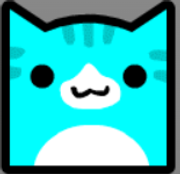
image i guess
1On 2023-12-26 at 18:09:44
also since people are doing more characters i'll just throw in kl1MocohC (Shadow type)
1On 2023-12-26 at 10:26:41
i think i'll go for Earth
1funny game ideas
On 2024-02-10 at 19:46:12
garten of banban 23
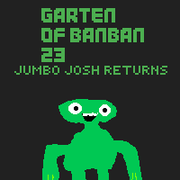
I loved the part where Jumbo Josh said “You want forgiveness? Get religion,” and wreaked SBOK7 Honey Havoc on everyone
I would like to propose Garten of BanBan 24 where you find out that you lack a father figure and need to run away from Jumbo Josh with a dream mask on to regain your ability to have parental figures
why do i actually want to make that now
On 2024-02-10 at 19:36:16
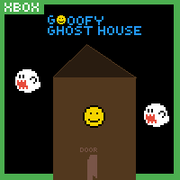
Goofy Ghost House, a game where you're haunted the ghost of your dead roommate who scares you in the silliest of ways, like throwing a bunch of apples down the stairs, replacing your hand soap with hot cocoa powder, drawing a mustache on your face when you sleep, jumping out of the back seat of your car and pulling silly faces at you, or shooting confetti at you out of nowhere. You beat the game by telling the ghost off and grounding her for a week for being so immature.
 2
2On 2024-02-10 at 18:36:38
garten of banban 23
On 2024-02-07 at 22:38:47
eat the burger!
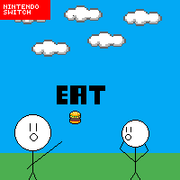
love it! made me laughing
good art
noice addition with 'nintendo switch' on the game
thx this is totally official 100% no fake no clickbait real
cant wait to play it
do you have a scratch account?
its ok if you dont
i don't have a scratch account and i don't know Python or C# programming language either

On 2024-02-07 at 22:12:21
eat the burger!
love it! made me laughing
good art
noice addition with 'nintendo switch' on the game
thx this is totally official 100% no fake no clickbait real
On 2024-02-07 at 22:08:52
eat the burger!
 1
1On 2024-02-07 at 21:38:32
title says it all, suggest funny game ideas and i'll make the cover art for them
 4
4 1
1STOP THE QUICK MODE NOW
On 2023-11-13 at 17:36:14
90% OF ALL THE TRACKS IN MKPC ARE TRACKS MADE IN 2 MINS ONLY TO GET 2 OR 3 VIEWS AND OOOHH THEY ARE BAD. THESE TRACKS ARE ABSOLUTE F****** FILLERS AND YOU CAN'T FIND NEW, GOOD TRACKS. THIS GAME IS STARTING TO NOT BECOME FUN ANYMORE.
THANKS
THANKS
says the guy with the among us drip pfp
 53
53 22
22 3
3Retro Tracks Ideas
On 2024-02-08 at 17:32:21
ik i already said this but Mario Circuit 4 and Frappe Snowland
N64 Frappe Snowland Can Have An Chance For Being In The Game But Mario Circuit 4 Maybe I Make The 1 Or 2 But Not The 4 Ok?
mah boi MC4 getting hated on